How Restaurants Can Organize Vendor Invoices and Approvals
Learn how restaurant vendor management software can organize invoices, verify charges, route approvals, and connect records to accounting and cost reviews.
Restaurant vendor management software helps organize supplier invoices, approvals, and handoffs to bookkeeping. This guide explains how to evaluate the workflow, confirm charges against evidence, and choose a process that supports clear financial records without mistaking automation for financial judgment.
Explore restaurant invoice processing
What does restaurant vendor management software do?
Vendor management is a broad label. One product may focus on supplier records and purchasing; another may center on invoice capture, approvals, and accounting handoffs. Product labels are not standardized, so compare the actual steps supported. For an operator, the useful result is a connected record: which supplier submitted a charge, what the invoice says, what evidence supports it, who reviewed it, what questions remain, and where the financial information goes next.
Vendor management overlaps with but is not identical to accounts payable. Invoice processing concerns receiving, extracting, checking, and routing bills. Accounts payable tracks amounts owed and payment-related work. Supplier management can also include contact details and purchasing routines. Accounting records the financial effect. A platform may support several tasks, or separate systems may exchange information. Start with the bottleneck: missing bills, delayed approvals, price questions, or repeated bookkeeping corrections.
Which vendor workflow should the software improve?
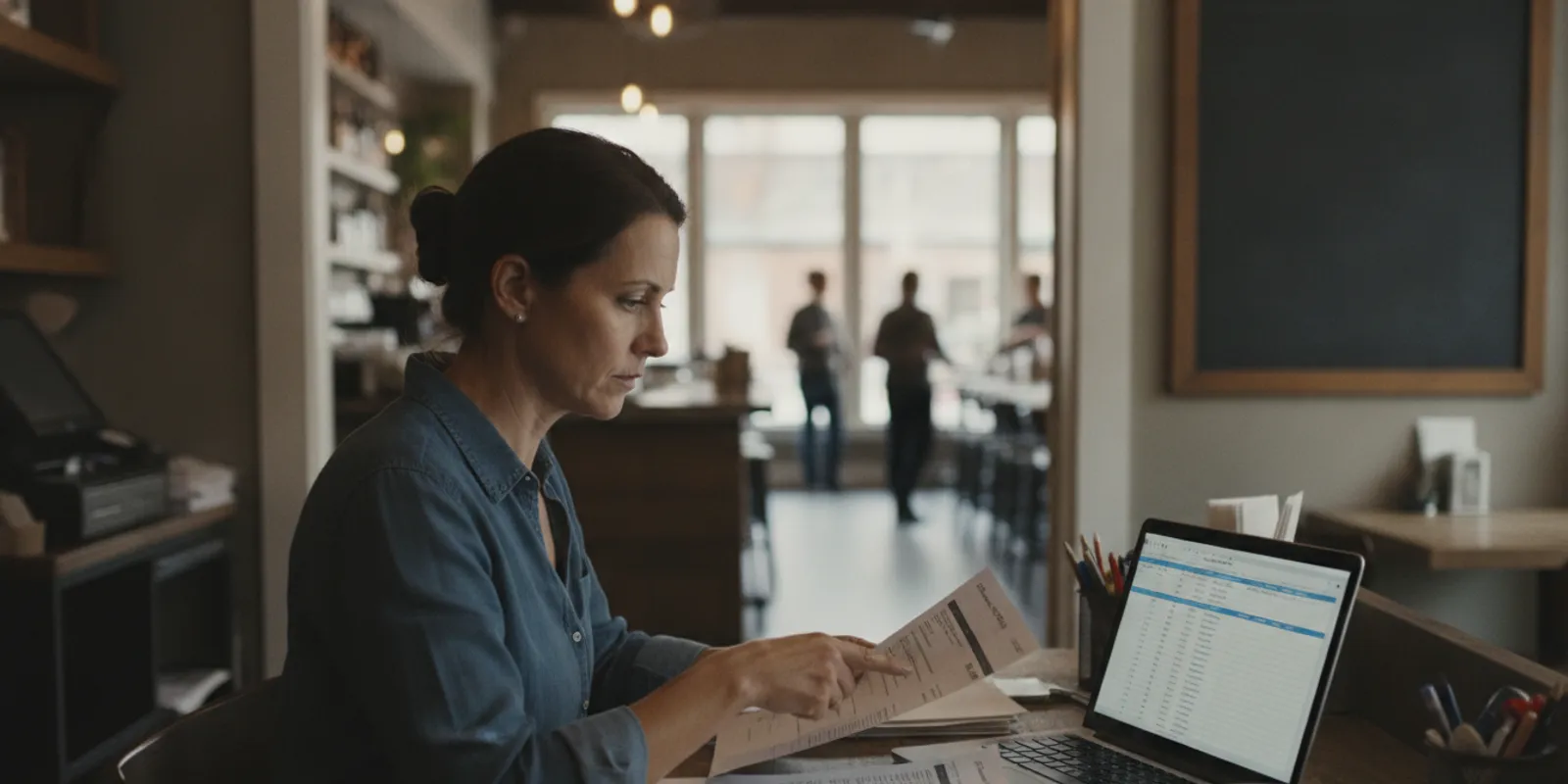
Map a typical invoice from arrival to accounting. A manager might receive a delivery, leave the paper bill near the office, photograph it later, and send it to a bookkeeper who asks for a missing page. An owner may approve the amount by text, but that decision is not saved with the invoice. Mapping these events reveals waiting points and missing context.
Walk through the process with everyone involved: the person placing or receiving orders, the manager checking bills, the finance lead or bookkeeper, and whoever approves payment. Ask each person what arrives, what evidence they compare, what they enter, and what they do when something does not match. Then list each handoff:
- Capture: Does a bill arrive on paper, by email, in a portal, or as a file? Who submits it?
- Identify: Can staff tell which vendor, location, date, and invoice number it belongs to?
- Review: Who checks quantities, prices, credits, taxes, and unusual changes?
- Resolve: Who contacts the supplier or receiving team when questions arise?
- Approve: Who can authorize the charge, and is the decision recorded?
- Transfer and retrieve: Who codes the bill, and can the source record and notes be found later?
Establish a baseline with observable measures, not assumed benchmarks. Count late documents, approvals waiting in a queue, repeated requests for support, duplicate entries, or corrections at close. Define terms clearly. “Time to review” might mean hours from receipt to first review, not time until payment.
Separate process problems from policy problems. Software cannot decide who may authorize a charge if the restaurant has not set that rule. First agree on the routine and responsibilities; then configure a tool to support them.
What should a restaurant check before approving an invoice?
Approval should mean the charge has been considered and supported, not simply that someone opened the document. A recurring utility bill may be checked against account history, a food delivery against an order and receiving record, and a service charge against a contract or confirmation of completed work.
Use a repeatable checklist suited to the restaurant’s controls:
- Confirm supplier and location. Check that the vendor account is expected and the bill belongs to the correct restaurant. Verify payment-instruction changes through a known channel.
- Review identifiers. Check invoice date, reference number, due date, and billed location. Look for duplicates, but investigate before rejecting similar-looking bills.
- Find supporting evidence. Compare the bill with an order, delivery paperwork, service record, or contract.
- Check quantities and prices. Note substitutions, short deliveries, credits, and changed pricing; investigate material differences.
- Review totals. Check arithmetic and applicable fees, freight, tax, discounts, and credits.
- Use established accounting treatment. Follow the restaurant’s categories and location conventions; route uncertain classifications to the finance professional responsible for the books.
- Record the decision. Save who reviewed the invoice, when, and why it was approved, returned, or held. Assign unresolved questions to an owner.
This is an operational aid, not accounting or tax advice. Follow restaurant policy and consult the professional responsible for the books when a classification, deduction, or reporting treatment is unclear. The IRS provides general information about business records at irs.gov; consult a qualified professional about how requirements apply to your business.
Define an exception path before launch. If a price is disputed, a credit is missing, or receiving documentation cannot be found, record the reason, assign follow-up, and set a next check-in. The goal is a visible queue, not an informal trail of messages.
How should invoice approvals work?
Approval rules should be clear enough to follow during a busy service. Specify who enters documents, who checks details, who can authorize a commitment or payment, and which situations require another review. Where staffing permits, separate data entry from authorization. A small restaurant may assign multiple duties to one person; the record should still show which responsibilities were performed.
A single-location restaurant may send bills to an owner or general manager. A multi-location group may need a location-level check followed by central finance review. Set authority under the business’s policy and professional guidance rather than borrowing generic dollar thresholds. Connect the approval decision to the original bill and show whether it was approved, returned, or held. A note such as “short delivery; credit requested” is more useful than an unreferenced text message.
Agree when reviewers check the queue, who handles an absence, and how disputed or time-sensitive items are escalated. Test a clean bill, a duplicate, a missing support document, a price difference, a credit, and a bill assigned to the wrong location. Observe whether each item can return to the normal process once resolved.
How should you handle common invoice exceptions?
Use plain-language statuses such as received, needs review, waiting for support, disputed, ready for accounting, and completed. Everyone should know what each means, who owns the next action, and when the item will be checked again.
When a delivery quantity or price does not match
Keep the bill with the order and receiving evidence. Record which line differs, what the invoice says, what the receiving record shows, and who will contact the supplier. If a credit or corrected bill arrives, attach it to the original item and preserve the relationship.
When a credit has not arrived
Record the request date, the person who made it, and a follow-up date. When the credit memo arrives, compare supplier, reference, amount, and related invoice before closing the exception. Ask the restaurant’s accounting professional how the credit should be recorded.
When a document appears twice
Compare invoice number, date, amount, location, and line details. A repeated scan may be the same bill submitted twice; similar documents may also represent separate deliveries or a corrected invoice. Keep the original record and note why another entry was rejected or linked. A duplicate alert is a prompt to investigate, not proof.
When support is missing
Identify the missing item and the person most likely to obtain it. Set a follow-up date and keep the item visible. If the document cannot be obtained, ask the finance professional how to proceed under restaurant policy; do not create unsupported evidence.
When the location is wrong
Confirm which restaurant received the goods or service. Correct the record and check whether the accounting destination also needs correction. Use an agreed naming convention, and test it with examples from each location before expanding.
Every exception needs a clear reason, a named owner, and a next action. During a regular review, resolve old items or reassign them; do not let “pending” become a place where work disappears.
What features matter when comparing software?
Ask a provider to demonstrate your own examples, including exceptions. This table is a practical evaluation checklist, not a claim that every product offers every capability.
| Area | Questions | What to test |
|---|---|---|
| Invoice capture | Can staff submit paper, email, and digital files? | Upload a sample and find the source afterward. |
| Data extraction | Which fields are captured? How are uncertain values shown? | Check vendor, date, number, amount, and line details; correct an unclear field. |
| Review and approval | Can work be assigned and decisions recorded? | Route an invoice, return it, and inspect its history. |
| Exceptions | Can credits, mismatches, duplicates, and missing records be held? | Assign an unresolved item and move it back into review. |
| Accounting connection | What information moves, and in which direction? | Trace a transaction to its destination and source record. |
| Retrieval | Can users search by vendor, date, or location? | Find an older invoice and its notes without searching email. |
| Roles and setup | What configuration and access controls are required? | Review users, vendors, categories, locations, and setup tasks. |
Have a manager and bookkeeper complete the same task. Note unclear instructions and duplicate entry. “Approval workflow” could mean a status label or configured routing with history; “integration” could mean a one-way transfer, two-way connection, or file export. Ask what is included and what remains manual.
How do vendor records connect to bookkeeping?
Agree on what “ready for accounting” means. It may mean the source bill is present, vendor and location are checked, category is assigned or flagged for review, and an authorized person recorded a decision. It does not necessarily mean every bill should post automatically. The handoff depends on the restaurant’s accounting process and professional responsibilities.
Write down which application is authoritative for each record. A document tool might hold the original invoice and discussion, while the accounting system holds the posted transaction. Staff should know where a correction must be made and how it appears elsewhere. Otherwise a corrected amount in one system can coexist with an outdated amount in another.
Test the full path with an ordinary invoice, a credit, and a corrected bill. Capture, verify, assign category and location, review under policy, and follow the information into accounting. Confirm the amount and supporting document can be found later. Have the finance professional review the workflow before using it as a standard procedure.
Map important fields: supplier, invoice number and date, due date, location, category, amount, approval status, and document reference. Note which system supplies each field and who can change it. A restaurant using separate POS, payroll, invoice, and accounting systems should confirm what each connection transfers. Reconcile processed invoices against accounting records at an agreed interval and investigate missing, duplicate, or differently categorized entries.
For information about restaurant invoice capture and extraction, see clickBACON’s invoice processing capabilities. The original invoice and human review remain important parts of a dependable handoff.
How can invoice records support cost visibility?
When expenses are captured consistently, categorized appropriately, and connected with sales and labor information, operators have more context for reviewing food cost, labor cost, prime cost, expenses, and profitability. An invoice platform alone does not explain profitability: completeness, timing, accounting treatment, and connected data all matter. Faster processing is not the same as accuracy.
A restaurant can keep QuickBooks Online as its accounting system while using a complementary platform for restaurant-specific financial workflows. Clarify which system owns each final record and how corrections are made. clickBACON documents a two-way QuickBooks Online sync; that specific capability does not mean every integration behaves alike. Review QuickBooks Online and Restaurant365 integration information and verify your own configuration.
Before relying on a daily view, confirm that the needed POS, invoice, payroll, and accounting sources are connected and mapped correctly. A missing bill, delayed payroll information, or misclassified expense can change what a report shows. Review assumptions with the finance professional responsible for the books. For further context, see the daily P&L and KPI view and restaurant budgeting workflow.
How do you choose a standalone tool or broader platform?
A standalone invoice tool may fit when the main need is reliable document intake and review. A broader financial platform may suit a restaurant that also needs connected POS information, daily reporting, budgeting, or document management. Neither is automatically better. Compare remaining work after implementation with setup and maintenance effort.
- Name the job. For example: “We need every supplier invoice stored and assigned for review.”
- List connected systems. Include POS, accounting, payroll, shared inboxes, and document repositories.
- Map handoffs. Note what moves between people and systems and where a person verifies it.
- Test exceptions. Use a mismatch, credit, duplicate, and missing document.
- Estimate ongoing work. Include vendor setup, cleanup, user administration, training, and connection maintenance.
- Run a limited pilot. Use a manageable vendor group or location, set measures, and retain a fallback.
- Review before expansion. Compare with the baseline and ask users what still creates rework.
If scattered files and correspondence are the problem, review restaurant document management. Keep each requirement distinct rather than assuming one product area replaces every other workflow.
What should you ask during an evaluation?
Bring concrete questions to a demonstration and ask about work, data, and responsibility:
- Which invoice sources are accepted, and what happens when a scan or email is incomplete?
- Which fields are extracted, and how do reviewers find uncertain values?
- Does the original remain available with comments, approvals, and corrections?
- How are possible duplicates identified and investigated?
- Can routing reflect locations and responsibilities? Which changes require an administrator?
- How are credits, disputes, partial deliveries, and corrected bills handled?
- Which accounting data transfers, and what must be checked before posting?
- What setup is required for vendors, categories, locations, users, and connections?
- What happens if a file fails or a connection is interrupted?
- What training, support, total costs, and export options apply?
Use realistic, appropriately protected sample documents. Include an operational user and the person responsible for accounting. Ask the provider to distinguish current capabilities from planned features or optional work. See clickBACON resources for restaurant bookkeepers if your evaluation includes a bookkeeping firm.
How can you roll out a new process without disrupting service?
Choose a pilot small enough to learn from and broad enough to reveal ordinary problems. A location or selected vendor group should include routine invoices and common exceptions. Name a process owner who coordinates setup, gathers feedback, and knows who is responsible at each stage.
Before the first bill, agree on entry points, location labels, review roles, categories, and how staff record questions. Write a short guide for incomplete or disputed invoices. Decide how open bills will transfer, which system is the source of truth, and how to avoid processing the same bill in two places. Keep a fallback route if intake or a connection is unavailable.
Track measures tied to the original problem: share of invoices with source documents, number awaiting approval, time from receipt to review, requests for missing information, and corrections found during bookkeeping review. Keep definitions consistent. Review outcomes alongside user experience: a process may reduce searching yet create duplicate entry, or reveal approvals while leaving supplier questions unresolved. Adjust configuration, training, or routine before adding locations.
How can software support bookkeepers and restaurant teams?
Software can organize documents, standardize capture, and show where review is waiting. It does not replace judgment about a charge, accounting treatment, supplier dispute, tax question, or financial report. Agree who gathers invoices, follows up on missing support, reviews categories, and authorizes posting or payment. Each client’s systems and policies require review before a bookkeeping firm adopts a shared configuration.
clickBACON is a restaurant financial intelligence platform and offers access to certified restaurant bookkeeping specialists; it should not be described as the restaurant’s bookkeeping firm. A restaurant seeking ongoing bookkeeping or accounting advice should clarify which professional is responsible and how software supports that relationship.
What mistakes make vendor workflows harder?
Buying for features rather than the bottleneck. Identify the weak handoff and test it directly.
Assuming extraction equals verification. Captured values still need appropriate validation. Assign someone to review exceptions.
Leaving supplier records inconsistent. Different spellings can make searching and duplicate review harder. Agree on conventions.
Ignoring location and category structure. Confirm the structure with the finance professional responsible for the books.
Making approval too complicated. Keep routine review proportionate and exception routes clear.
Failing to assign follow-up. Give every disputed amount an owner and next action.
Expanding before the pilot is stable. Resolve repeated issues before scaling.
Expecting software to define policy. The business must decide approval authority, required records, and dispute handling.
Confusing clean books with current operational information. Confirm which data is available, when it updates, and what remains subject to reconciliation.
How should you tell whether the process is working?
Follow a sample of invoices end to end. Choose ordinary bills from different suppliers and one or two that needed follow-up. Note arrival, capture, first review, supporting evidence, recorded decision, and accounting handoff. This timeline distinguishes a slow intake step from a slow approval step.
Suppose a delivery bill arrives Monday but is not entered until Wednesday. Review may take minutes, yet the delay before capture makes the whole process appear slow. Separate receipt-to-capture time from capture-to-review time. A mobile photo or designated inbox might help only if staff know who checks the channel and how receipt is confirmed.
Compare like with like. A holiday, new location, supplier change, or unusual volume can affect a pilot. Note those conditions. If the sample is small, treat findings as practical observations, not universal conclusions. Record both counts and causes: four waiting bills are less actionable than two missing receiving notes, one unassigned reviewer, and one duplicate.
Discuss findings with users. Ask what is easier, what remains confusing, where information is entered twice, and which notices are missed. Keep an issue list with the invoice example, observed problem, proposed change, owner, and review date. Test retrieval too: ask someone other than the original processor to find a document and its approval notes using supplier, date, location, or invoice number.
Check data quality in a structured sample. Compare supplier name, invoice date and number, line details, total, location, and category with the original and supporting records. Track corrections rather than silently fixing them; repeated errors may point to an unclear scan, inconsistent setup, or a confusing review step. Decide in advance what would justify expansion, using the restaurant’s baseline rather than an invented industry target. If the pilot misses its goal, refine, test again, or stop.
Check whether fewer documents are missing, approvals are easier to locate, and bookkeeping receives more consistent information. Ask a user to trace an invoice to its source, reviewer, status, and accounting destination. A system earns a broader role when it helps staff complete required work with dependable records and reasonable effort, not merely because it has been installed.
Frequently asked questions
Is vendor management software the same as accounts payable software?
No. Accounts payable focuses on amounts owed and payment workflows. Vendor management may also cover supplier details and purchasing routines. Product boundaries vary, so confirm the tasks a particular system supports.
Can restaurant software approve invoices automatically?
Some systems route bills or apply configured rules, but the restaurant should decide which charges need human review. Automation does not establish that a delivery arrived, a price is correct, or a dispute is resolved.
Will invoice extraction eliminate bookkeeping review?
No. Extraction can capture information and reduce repetitive entry, but the restaurant or finance professional still needs to validate uncertain details, accounting treatment, and exceptions.
Can a restaurant keep QuickBooks Online and use a separate platform?
Yes. Confirm the integration’s direction, what information moves, and how corrections are handled. Capabilities differ by product.
How should a small restaurant start?
Map the current invoice path, identify the bottleneck, and test a limited group of invoices or vendors. Assign responsibilities and expand only after routine bills and common exceptions are handled consistently.
Explore restaurant invoice processing
Start with the gap your team can observe today, then choose a process that makes the next step clearer and easier to verify.